WebSocket platform#
The WebSocket Platform allows a bot to communicate with the users using the WebSocket bidirectional communications protocol.
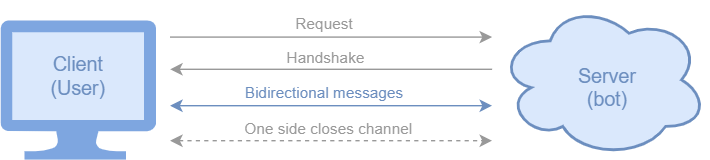
This platform implements the WebSocket server, and it can establish connection with a client, allowing the bidirectional communication between server and client (i.e. sending and receiving messages).
The next figure shows how this connection works:
The bot we just created, has 2 states linked by an intent.#
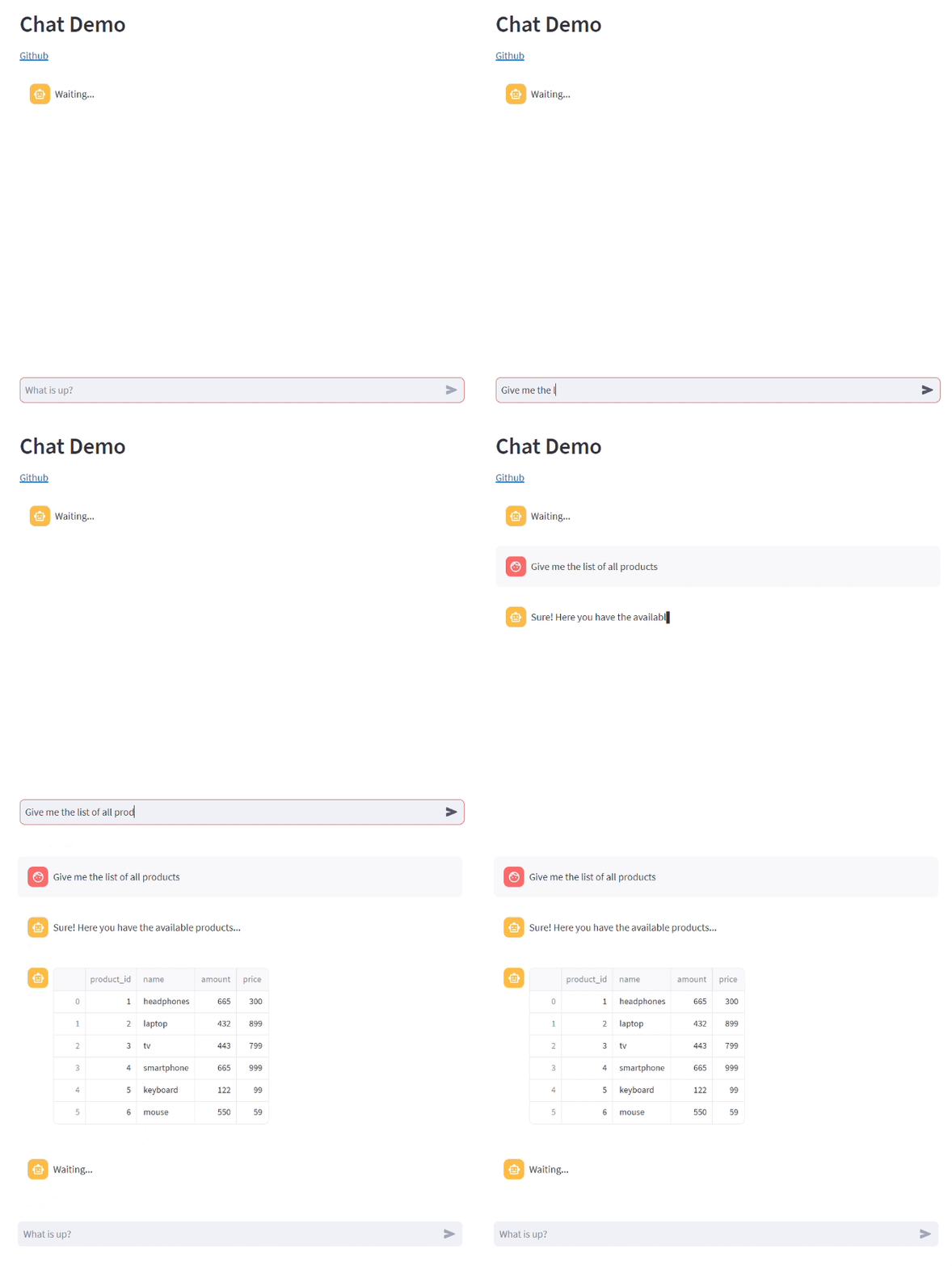
We provide a UI (streamlit_ui) implementing a WebSocket client to communicate with the bot, though you can use or create your own UI as long as it has a WebSocket client that connects to the bot’s WebSocket server. This is how our chatbot UI looks like:
Note
There are some properties the bot needs in order to properly set the WebSocket connection. More details in the configuration properties documentation.
How to use it#
After you instantiate your bot, simply call the following function:
bot = Bot('example_bot')
...
websocket_platform = bot.use_websocket_platform(use_ui=True)
If you don’t want to use the UI we provide, simply set use_ui to False.
After that, you can use the platform to send different kinds of messages to the user (from state bodies):
Text messages (strings):
websocket_platform.reply(session, 'Hello!')
Pandas DataFrames:
websocket_platform.reply_dataframe(session, df)
List of options (buttons): Display a list of options as buttons and let the user choose one
websocket.reply_options(session, ['Yes', 'No'])
⏳ We are working on other replies (files, media, charts…). They will be available soon, stay tuned!
API References#
Bot.use_websocket_platform():
besser.bot.core.bot.Bot.use_websocket_platform()WebSocketPlatform:
besser.bot.platforms.websocket.websocket_platform.WebSocketPlatformWebSocketPlatform.reply():
besser.bot.platforms.websocket.websocket_platform.WebSocketPlatform.reply()Session.reply_dataframe():
besser.bot.platforms.websocket.websocket_platform.WebSocketPlatform.reply_dataframe()